> ## Documentation Index
> Fetch the complete documentation index at: https://docs.arcyria.com/llms.txt
> Use this file to discover all available pages before exploring further.
# Organizations and workspace context
> Manage organizations in the live app so production, staging, teams, and audit history stay clearly separated.
Organizations are the top-level boundary in Arcyria. Every connection, pipeline, activity event, and team role is scoped to the active organization.
## Relevant routes
* Organizations list: `/organizations`
* Create organization: `/organizations/new`
* Edit organization: `/organizations/[id]/edit`
* Workspace settings: `/workspace/settings?tab=organization`
## Why organizations matter operationally
Use organizations to separate:
* production from staging
* internal data from client-facing workloads
* regulated datasets from general analytics work
* different business units with different operators
## Create a new organization
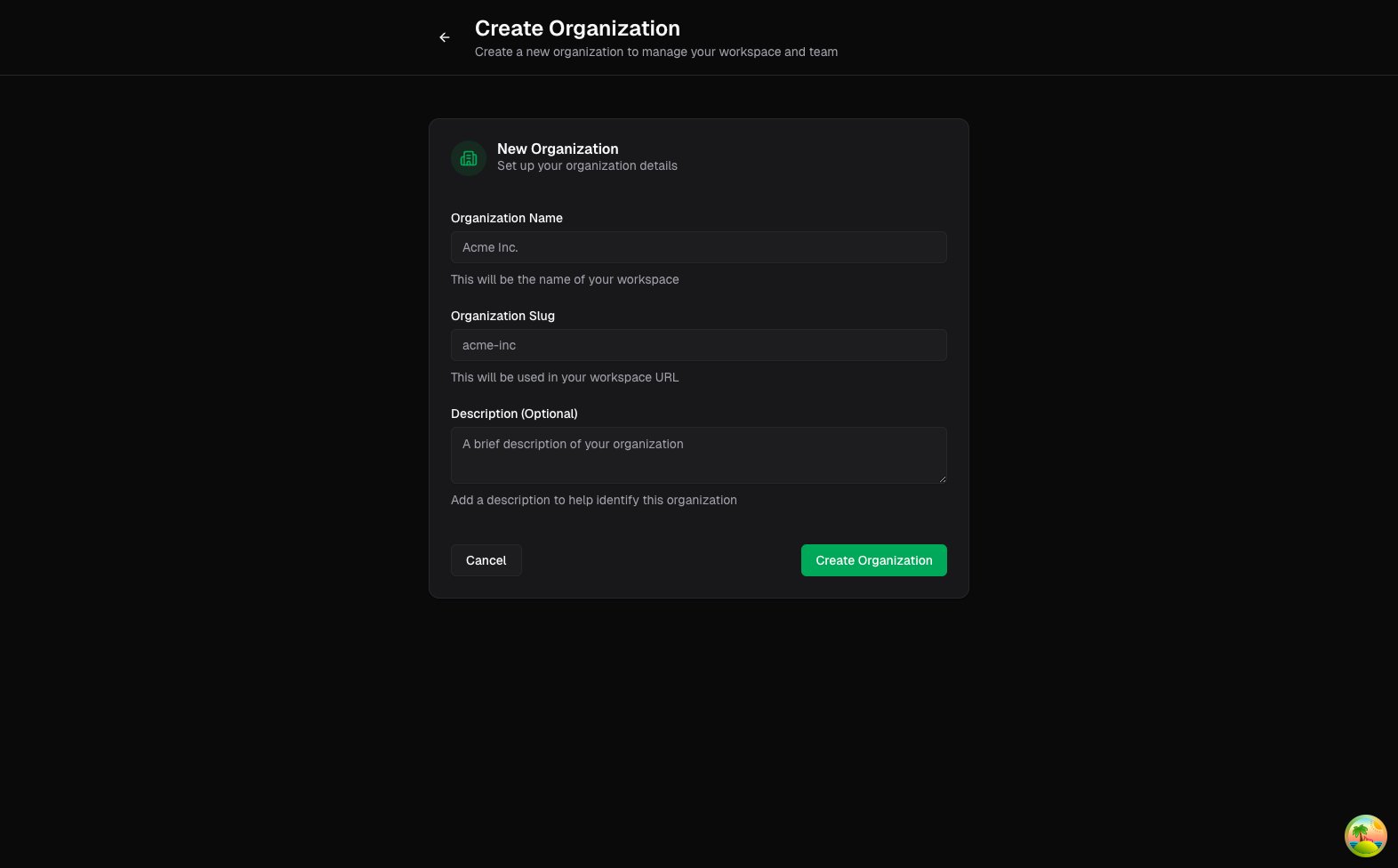
From the organizations list or sidebar switcher, create a new organization with a clear name, slug, and optional description. A good naming pattern is environment plus team, such as `Growth Production` or `Data Platform Staging`.
 ## Switch context before making changes
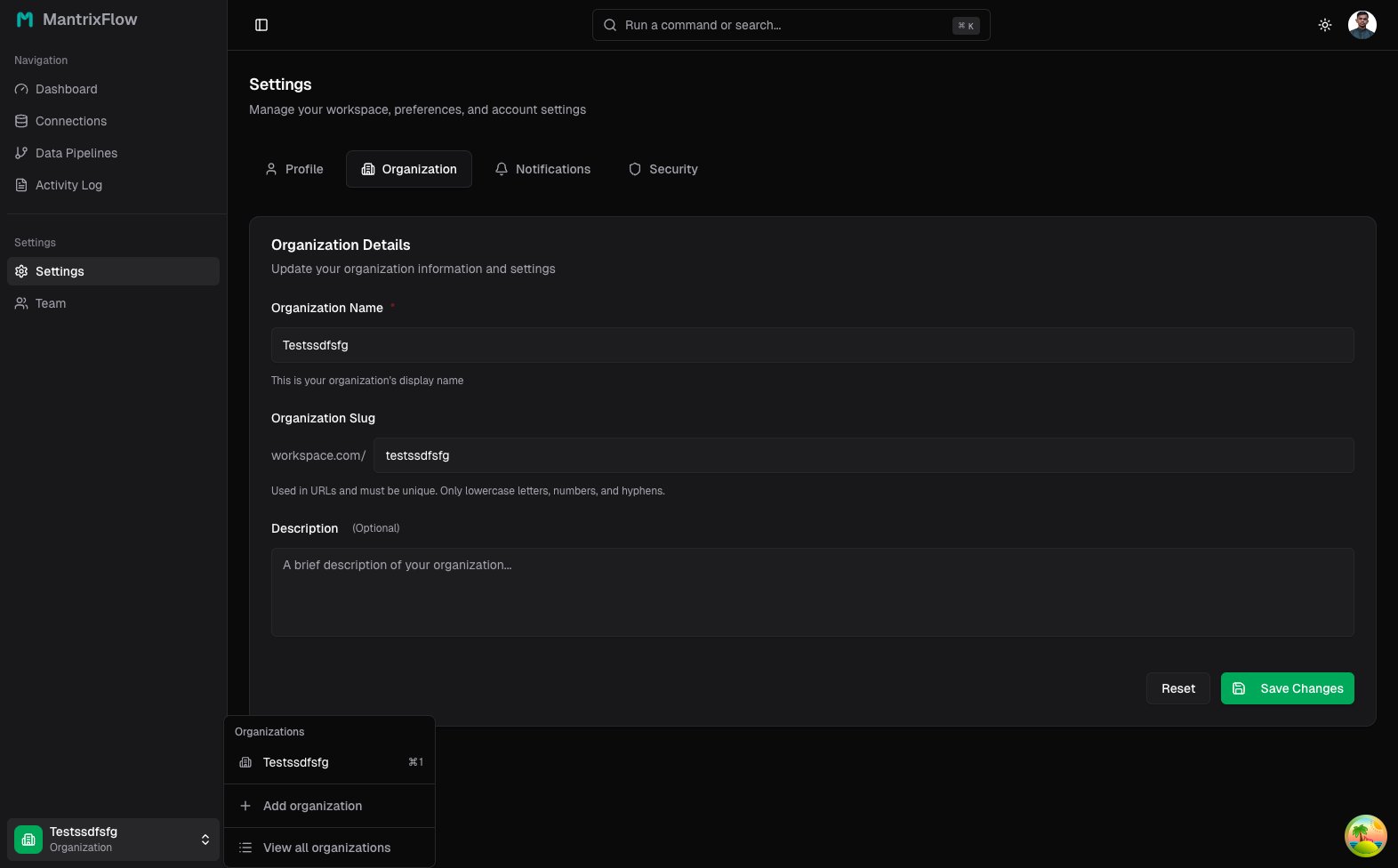
The organization switcher in the sidebar controls which connections and pipelines you are editing. Always confirm the active organization before rotating credentials or changing schedules.
## Switch context before making changes
The organization switcher in the sidebar controls which connections and pipelines you are editing. Always confirm the active organization before rotating credentials or changing schedules.
 ## Update organization details
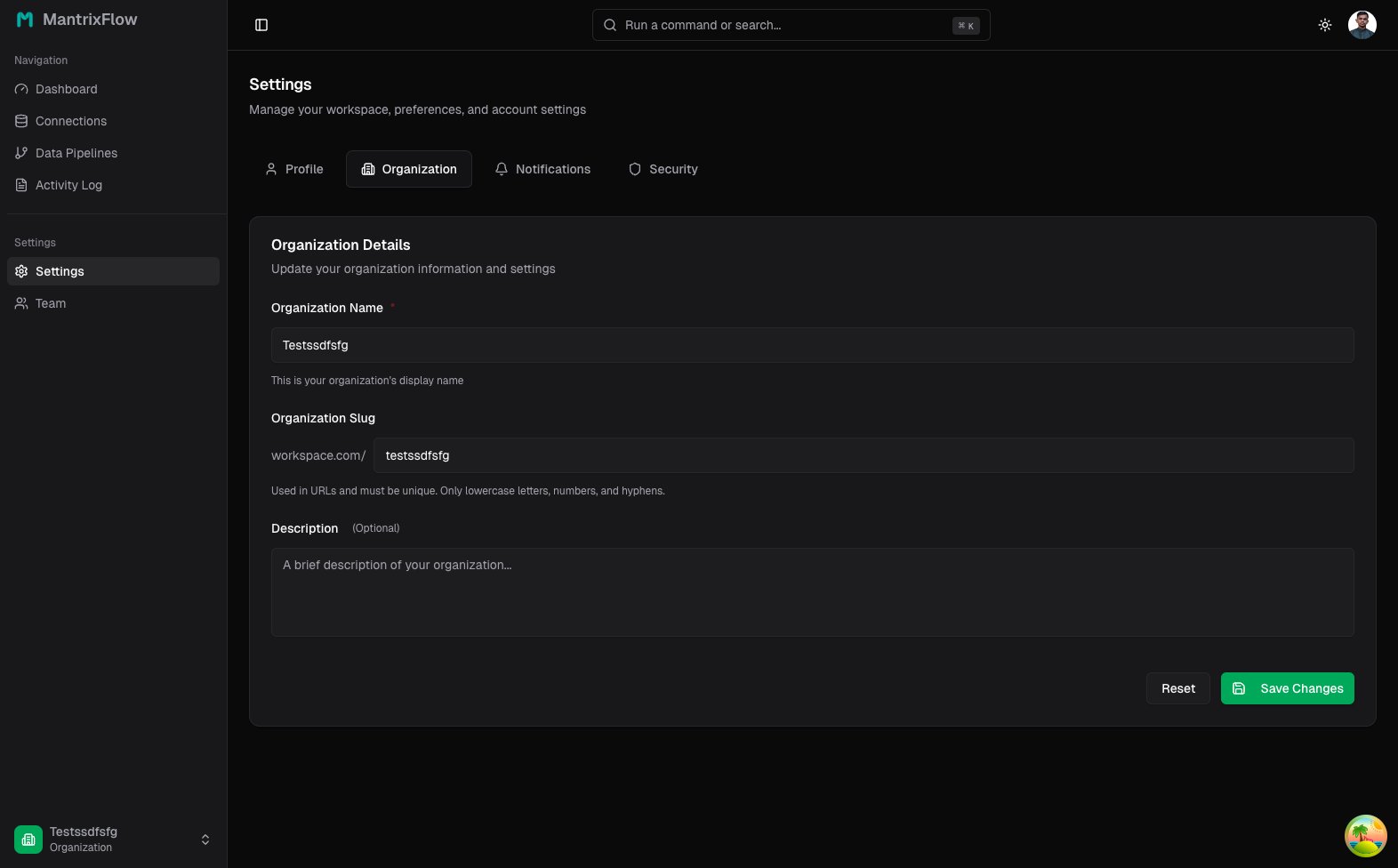
Owners can manage name, slug, and description from **Settings -> Organization**.
## Update organization details
Owners can manage name, slug, and description from **Settings -> Organization**.
 ## A practical operating pattern
Many teams keep:
* one production organization with live credentials and schedules
* one staging organization with test data and manual-only runs
* identical connection names across both, prefixed by environment
That makes promotion and troubleshooting much safer.
## A practical operating pattern
Many teams keep:
* one production organization with live credentials and schedules
* one staging organization with test data and manual-only runs
* identical connection names across both, prefixed by environment
That makes promotion and troubleshooting much safer.